From design file to printed colour: RIP, colour management and print management
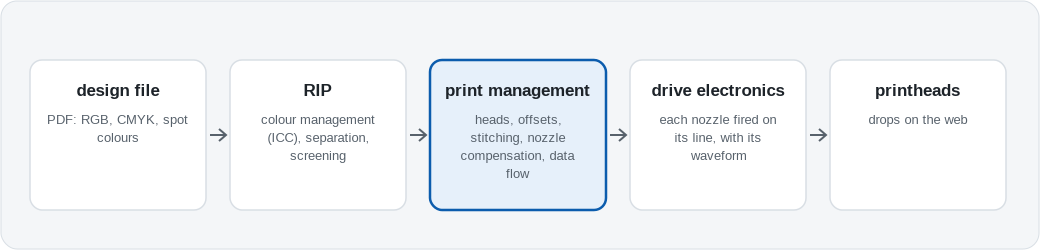
Colour single-pass printing is a chain: design file, RIP, print management, drive electronics, printheads. Each link has its own job. Knowing which link does what saves days when colours, registration or banding go wrong.
The chain
Design file. Usually a PDF, with colours defined in RGB, CMYK or as spot colours.
RIP (raster image processor). It does the colour management — ICC profiles describe how the source colours are meant and how the printer with its inks and substrate actually behaves, and the RIP converts one into the other. It separates the image into one bitmap per ink and screens each to the dot sizes the head can print.
Print management. It takes the RIP's output and makes the machine print it: which head prints which part, the offsets between heads and colours, stitching where heads overlap across the web, compensation for missing nozzles, and a data flow that never leaves the heads waiting.
Drive electronics. They fire each nozzle on its line with its waveform, from the data they receive.
Printheads. The drops land on the web.
Where problems show up
Wrong colours, the same on every head: the profiles and the RIP settings. A white line or a pale streak: a missing nozzle — check the nozzles, then the compensation. Colours shifted against each other: the registration offsets in print management, or the encoder. A visible joint between heads: the stitching.
Where Fanhua fits
Fanhua (繁花) is our print management for colour single-pass printing, built on top of SmartPrint drive boards. It works from your RIP's output — it is not a RIP. Fanhua is in development: pilot projects start in early 2027, and release 1.0 is planned for 2027.